Marco's TEKBlog
All The News, Tips and Tricks You Need To Conquer Technology
Why Shared Logins Are a Security Risk for Your Business
Article Summary: Every employee should use their own account wherever the software allows it. Individual accounts let you control permissions, use MFA properly, remove access when someone leaves, and see who performed each action. If a shared password cannot be...
What to Ask a Software Vendor AfterThey Report a Data Breach

How to Make Sure Your Business Owns Its Domain Name
Article Summary: Your business should control the account where its domain is registered. The registration details, recovery methods, billing information, renewal settings, and DNS access should not depend on one employee, contractor, web designer, or IT provider.Once...

How Hackers Keep Access to Your Email After You Change the Password
Summary: Changing the password blocks someone from signing in with the old password. However, they may still have an active session, a forwarding rule, access through a connected app, mailbox permissions, or a recovery method they added.When someone gets into a...
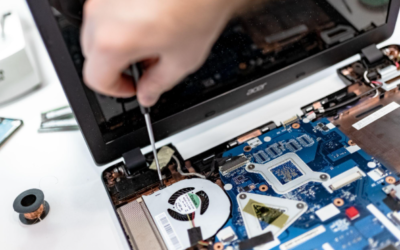
How Long Business Computers Last and When to Replace Them
Summary: Three to five years is a practical replacement range for many business computers. The right time depends on security support, reliability, performance, warranty coverage, repair costs, and the employee’s work. Replace any computer that cannot run a supported...

Small Business IT Budget: What to Include and How to Plan It
Summary: Your IT budget should include the technology you already use, the support required to maintain it, and the upgrades you expect to make during the year. It should also cover cybersecurity, backups, employee changes, planned projects, and a reserve for urgent...

Why Guest Wi-Fi Should Be Separate From Your Business Network
Summary: Guest Wi-Fi should provide internet access while blocking connections to your internal business network. A different Wi-Fi name and password do not confirm that the networks are separated. The router, access points, and firewall must also be configured to...

What Happens to Your Data When You Cancel a Cloud Service?
Summary: Before canceling a cloud service, export your data and confirm that the files can be opened or imported. Move any connected applications and sign-ins, then check the provider’s current rules for access, billing, retention, and deletion.A cloud service may...

Should Employees Use Personal Devices for Work?
Summary: Allow personal devices only for approved work, through approved apps, and when the device meets your security requirements. Use company-owned devices for administration, sensitive work, or jobs that require large amounts of data to be stored locally.Employees...

Why Your Employees Shouldn’t Have Administrator Access to Their Computers
Summary: Employees should use standard accounts for email, web browsing, and everyday work. Administrator access should be limited to approved IT tasks and protected with a separate account.Administrator access often starts with one request. An employee needs to...

The 30-Minute IT Check Every Small Business Should Do Once a Month
Summary: Most IT problems don't appear out of nowhere. Backups quietly stop running, updates sit unfinished for weeks, and old staff accounts stay switched on for months. A short check once a month catches these while they're still cheap to fix. This post covers the...

How to Keep Your Business Running When Microsoft 365 Goes Down
Summary: The tools that run your business, like Microsoft 365, your accounting app, or your booking system, are reliable most of the time, but they do go down. When one does, work can stop for hours, and you often can't do anything but wait for the provider to fix it....

OneDrive or SharePoint? Where Your Business Files Should Live
Summary: If your business uses Microsoft 365, you have both OneDrive and SharePoint, and files usually end up scattered across them with no clear rule. OneDrive is for your own work, and SharePoint is for files the team shares. Getting this right makes files easier to...
Is Your Business Website a Security Risk?
Why You Should Scroll Past the First Result on Google

How to Spot a Scam Email Now That They Look Real
Summary: Scammers now use AI to write their phishing emails, so the spelling and grammar mistakes that used to give them away are gone. The UK's National Cyber Security Centre and the FBI both warn that AI makes these messages cleaner, more personal, and harder to...
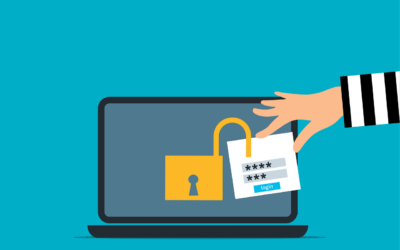
The “Session Cookie” Hijack: Why MFA Can’t Always Save You
MFA is a strong front-door lock. But it’s not the only thing that decides whether someone can get in.After you sign in, your browser keeps you logged in using a session token (often stored as a cookie). It’s the digital version of a wristband at an event: once you’ve...

The “Legacy Debt” Audit: Identifying the 3 Oldest Risks in Your Server Room
The most dangerous thing in a server room is often the phrase, “Don’t touch that.”It’s usually said with a half-joke and a grimace. It refers to the old box that “still works”, runs something important, and has survived so many fixes and workarounds that nobody feels...

The “Backup Exit” Strategy: Can You Move Your Data Without the Vendor’s Help?
When you first sign up for a software-as-a-service (SaaS) platform, everything is designed to feel effortless. The problem is that the first real test of a SaaS relationship isn’t the onboarding. It’s the exit. For many small businesses, the front door is...
Marco’s Blog – Tech and Help
Marco’s Blog – Tech and Help
Marco’s Blog – Tech and Help
Let's Discuss Your IT Goals And Let Me Help You Conquer Technology!
- Meeting Format: Phone Call or Zoom Video
- One (1) FREE consultation per calendar year.
- Available booking Times: Monday-Friday, 9-11 am.
- Consultations are not How-To’s, Tutorials or Service Calls.
- Zoom/phone call details provided upon confirmation.
- Service Areas: Oakville, Burlington, Mississauga, Milton, Etobicoke.